
e1universe@gmail.com – Privacy Policy
Enea Eraser
Professional-grade secure data erasure for macOS. Wipe free space or entire volumes using military and government-standard overwrite methods — so deleted data stays deleted.
Deletion is not erasure.
When you empty the Trash, macOS removes the file’s reference — but the actual data remains on disk, fully recoverable with off-the-shelf forensic tools. The only way to make data truly irrecoverable is to overwrite the storage sectors with new data, multiple times, using a verified pattern.
Enea Eraser does exactly that. Whether you’re preparing a Mac for resale, decommissioning a drive, or simply maintaining strict data hygiene, Enea Eraser gives you the tools trusted by governments and security professionals — in a clean, native macOS interface.
Up to 35-pass overwriting
From a quick single-pass wipe to the full Gutmann 35-pass algorithm — choose the security level that fits your needs.
Free space & full disk modes
Wipe only unused space without touching your files, or completely erase an entire volume.
Full operation control
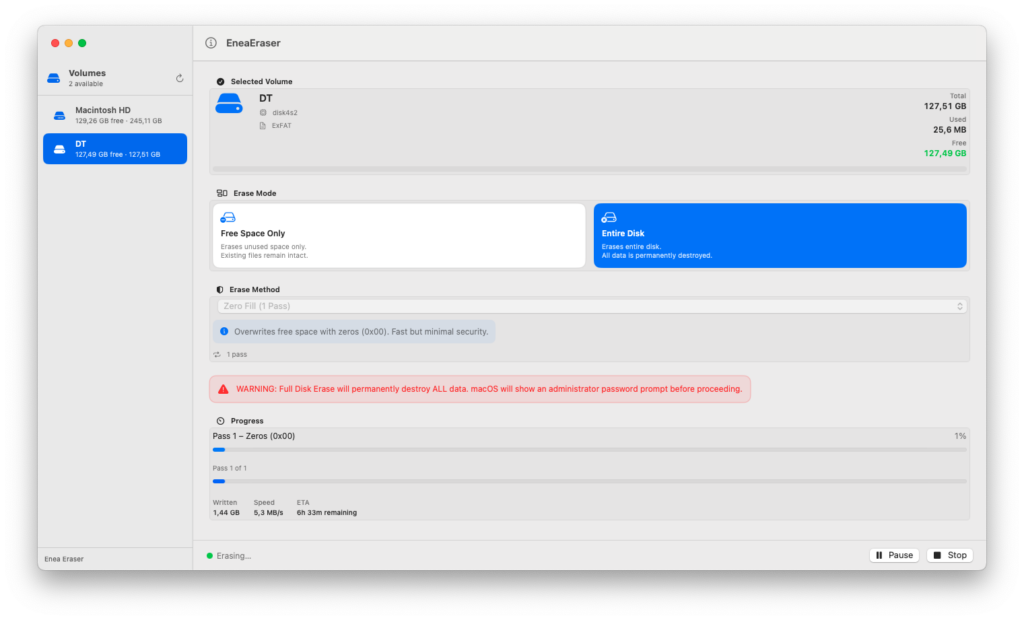
Start, pause, resume, and stop at any time. A live progress view shows speed, ETA, and per-pass status.
Detailed erase report
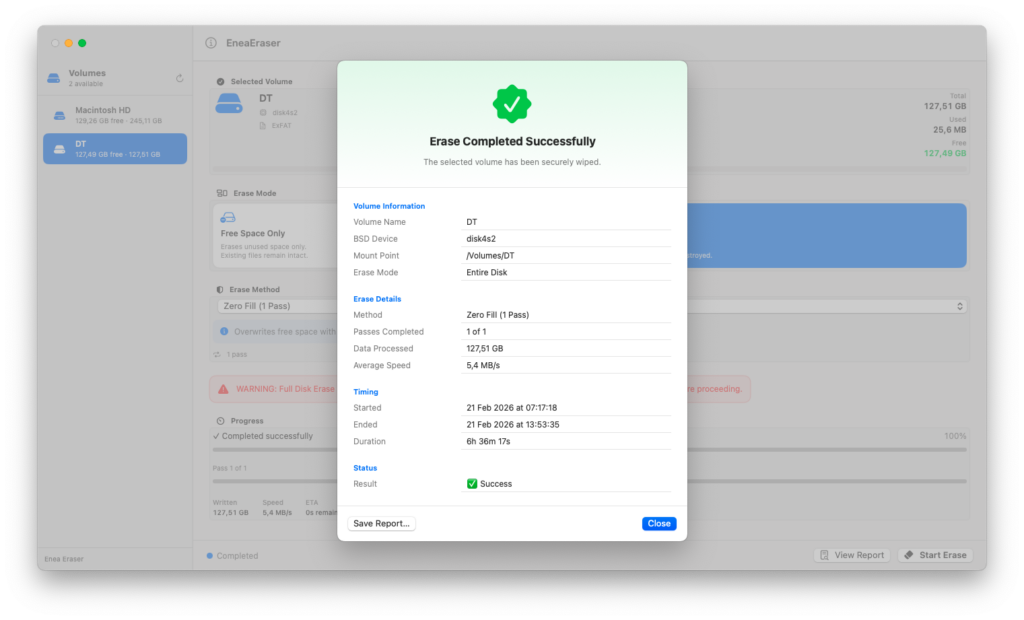
Every session produces a exportable report: method used, data processed, duration, and result status.
Seven standards.
One tool.
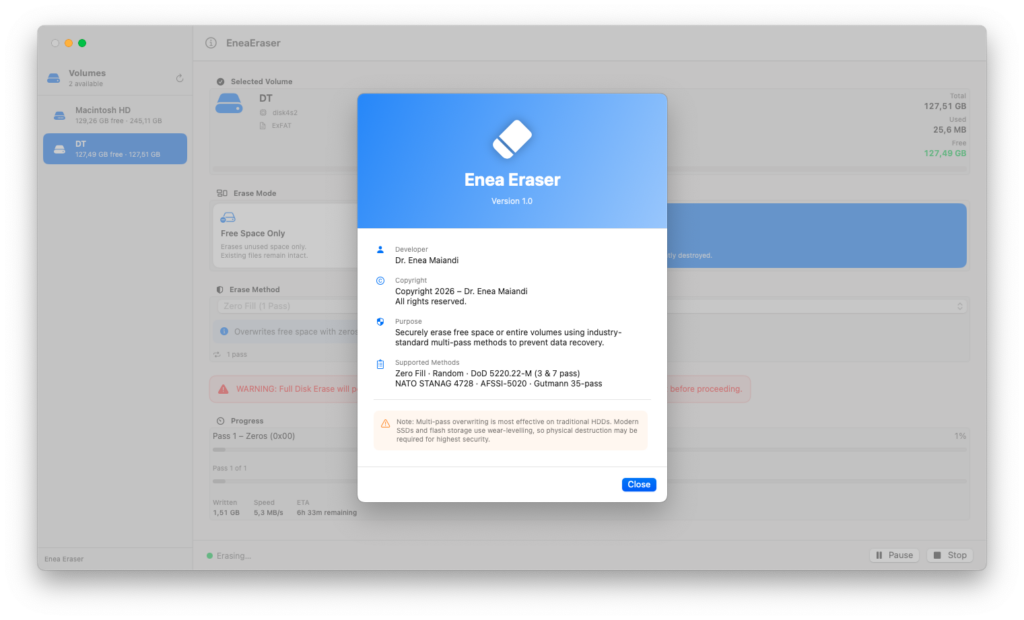
Enea Eraser implements seven open, documented overwrite standards — from fast single-pass wipes to exhaustive multi-pass algorithms designed for magnetic media. Each method is described below with its origin and pass count.
Important note on SSDs and flash storage: multi-pass overwriting is most effective on traditional magnetic hard drives (HDDs). Modern SSDs and NVMe drives use wear-levelling and over-provisioning, which means some sectors may not be overwritten in every pass. For maximum security on flash storage, enabling FileVault encryption before erasure is strongly recommended. Physical destruction remains the only absolute guarantee.
Precise control
over what gets wiped.
Enea Eraser operates in two distinct modes, so you can choose exactly how aggressively to erase — from a non-destructive free-space sweep to a complete volume wipe.
Free Space Only
Fills all unused sectors on the selected volume with the chosen pattern, then removes the temporary file. Existing documents, applications, and system files are never touched. Ideal for routine privacy maintenance on a Mac you continue to use.
Entire Disk
Writes the erase pattern across every sector of the selected volume, including all existing data. Requires administrator privileges. Use this when decommissioning a drive, preparing a Mac for resale, or retiring storage media.
Built for professionals.
Enea Eraser is a native SwiftUI application built specifically for Apple Silicon Macs. It requires no third-party dependencies, no cloud connectivity, and no data is ever transmitted outside your machine.
Free-space wiping uses Apple’s itemReplacementDirectory API to guarantee
temporary files are created on the same physical filesystem as the target volume.
Full-disk mode opens the raw device via authopen with an elevated
Authorization Services token — the same mechanism used by Apple’s own Disk Utility.
Random data is generated using arc4random_buf, which provides
cryptographic-quality entropy from the system’s kernel random source.
Native SwiftUI
Built entirely with Apple frameworks. No Electron, no web views, no runtime overhead.
Authorization Services
Admin elevation uses Apple’s native Security framework — the same as System Preferences.
Fully offline
Zero network calls. No telemetry. No licence servers. Works in air-gapped environments.